
What if the school management software you paid for is quietly draining your budget right now — not because it’s bad software, but because of how it was set up, selected, or handed to your staff?
This happens more than most school administrators in Pakistan want to admit. A school in Lahore invests Rs. 80,000 in a school ERP, spends two weeks on setup, and six months later, the fee module has duplicate entries, teachers have abandoned the attendance feature, and the principal still makes decisions from a WhatsApp group. The software isn’t the problem. The school ERP mistakes in how it was implemented are. Globally, between 55 and 75 percent of ERP implementations fail to meet their original objectives, and 95 percent of failed implementations dedicate less than 10 percent of their total budget to staff training (ERPFocus). The numbers are sobering — and they apply just as directly to private schools in Karachi, Multan, and Islamabad as they do to large enterprises.
This guide identifies the most damaging school ERP mistakes Pakistani school administrators make, what each one actually costs you, and the specific fixes you can apply right now.
What Is the Single Most Expensive School ERP Mistake Schools Make?
The most expensive mistake isn’t technical. It’s choosing a school ERP system based on price or brand recognition instead of operational fit.
This particular school software error plays out the same way across dozens of institutions. An administrator sees a low introductory price, requests a demo, and signs up without ever asking whether the system handles their specific fee structure — which might include sibling discounts, transport fees, installment plans, and different rates by class level. The software gets installed, and within weeks the finance staff realizes the fee module can’t accommodate a single one of those variables. They end up maintaining a parallel Excel file, and the ERP becomes an expensive attendance register.
The fix: before committing to any school ERP, sit with your finance staff and list every fee type your school charges. Then test the fee module specifically during your demo. Don’t ask the vendor whether the system supports complex fee structures. Ask them to show you, live, exactly how your fee structure would be configured. If they can’t demonstrate it confidently in 20 minutes, the system isn’t ready for you — regardless of the price. The same applies to grading scales, result formats, and report card layouts. These are the daily-use features that determine whether staff actually use the system.
Why Does Poor Staff Training Destroy School ERP Investments?
You can have the most capable school management software in Pakistan, and it will still fail if the people using it every day weren’t trained properly.
This is one of the most well-documented school ERP mistakes in implementation research. A systematic review of 55 academic studies on ERP failures identified inadequate education and training as the second most common critical failure factor, appearing consistently across countries and sectors (ResearchGate, 2023). For Pakistani schools, the training gap is often worse because it’s invisible — staff pretend to understand the system to avoid seeming incompetent, then quietly revert to old habits when no one is watching.
The pattern is predictable. The school owner and admin manager receive thorough training from the vendor. Class teachers get a one-hour group session and are sent back to their classrooms. The fee cashier watches a YouTube tutorial. Within three weeks, attendance data is unreliable, fee records are being entered twice, and someone is maintaining a backup register “just in case.” The ERP becomes an additional burden instead of a solution.
The fix: demand role-specific training from your vendor. Your fee collection staff need a different training session from your class teachers, who need a different session from your results entry team. Most reputable Pakistani school ERP providers now offer WhatsApp-based support and short Urdu video tutorials. Make these resources part of your staff onboarding, not an afterthought. Assign one internal “system champion” per department — someone who becomes the first point of call when colleagues have questions — and give them 30 minutes a week with the vendor’s support team for the first three months.
How Does Dirty Data Ruin a School ERP Before It Even Launches?
If you import bad data into a new system, you don’t get a fresh start. You get a digital version of every problem your paper records ever had — faster and at greater scale.
This school software error is devastatingly common in Pakistan, where many schools store years of student records in a mix of Excel files, aging desktop software, and handwritten registers. When they migrate to a new ERP, they import all of it without cleaning it first. The result: one student appears under three different name spellings in the database. Fee payment records don’t match receipt amounts. Two families share the same phone number because someone typed a wrong digit years ago and nobody caught it.
A school in Rawalpindi discovered three months after going live on their new ERP that 140 student records had been imported with incorrect admission dates — a data entry error from their old system that had gone unnoticed for years. Correcting 140 records inside a live system, while also running daily operations, took two staff members nearly four weeks.
The fix: run a data audit before you migrate anything. Export all your current records into spreadsheets. Assign ownership of each data category — one person for student records, one for fee history — and give them a week to review and clean their section. Remove duplicates, standardize name formats, verify phone numbers, and flag any record that’s missing critical fields like admission date or class assignment. Migrate only clean data. The extra week you spend on this upfront saves you months of correction work afterward.
What Happens When Schools Skip the Parallel Running Phase?
Parallel running — operating your old system and the new ERP simultaneously for a defined period — feels like unnecessary duplication. Schools skip it to save time. Then the real cost becomes clear.
Parallel running exists for one reason: to give your staff time to build confidence and catch errors in the new system before it becomes the only source of truth. When you skip it and go directly from paper records or an old system straight into the new ERP as your single operational system, you remove your safety net entirely. Any data entry error, configuration problem, or system misunderstanding immediately affects live operations. Parents receive incorrect fee notices. Attendance reports contain gaps. Staff panic, blame the system, and start bypassing it.
A school in Faisalabad that skipped parallel running during their ERP rollout discovered within the first two weeks that their late fee penalty settings had been configured incorrectly. Every fee notice sent during those two weeks had the wrong penalty amount. Correcting the records and communicating corrections to parents took three weeks of admin time — far longer than a four-week parallel running period would have taken.
The fix: commit to four weeks of parallel running as your minimum. During this period, continue marking attendance in both the old system and the new ERP. Continue recording fee payments in both. At the end of each week, compare the outputs. Discrepancies reveal where training gaps or configuration errors exist. Address them during parallel running, not after going live. The discipline this requires is real — but the protection it provides is worth every extra hour.
Why Is Choosing the Wrong Vendor a Silent Budget Killer?
Not all school ERP vendors in Pakistan are equal. Some are excellent. Some are one-person operations running a system that hasn’t been updated since 2019, with no local support team and no roadmap for future development.
Selecting the wrong vendor is one of the most costly school ERP mistakes because its consequences unfold slowly and expensively. In the first month, everything seems fine. By month three, you start noticing that features you were promised during the demo don’t quite work as shown. By month six, you’re paying for workarounds. By year two, you’re considering switching — and facing the time and cost of another migration.
Warning signs of a problematic vendor include: no local support team reachable on WhatsApp or phone during business hours; no clear product update history or roadmap; a demo that shows only ideal scenarios without letting you test edge cases; pricing that seems too low to support ongoing development; and references that are vague or unverifiable. The best Pakistani school ERP providers — TaleemPro, EduSuite, OurSchoolSoftware, CloudCampus ERP, SowaanERP — all have verifiable school networks, transparent pricing, and local support that responds within hours, not days.
The fix: before signing any contract, request contact details for three current client schools at a similar size to yours. Call them. Ask specifically whether the vendor’s support team responds reliably, whether promised features work as demonstrated, and whether they’d choose the same vendor again. Those three calls will tell you more than any demo ever could.
How Does Ignoring the Fee Module Configuration Cost Schools Money?
The fee module is the most financially consequential part of any school ERP. It’s also the most commonly misconfigured.
Pakistani schools have complex fee structures. A single school might charge different tuition rates across eight class levels, sibling discounts for second and third children, a transport fee that varies by route distance, a one-time registration fee for new admissions, optional exam fees, and a late payment penalty that kicks in after the 10th of each month. Every one of these variables has to be configured correctly in the ERP before the first fee notice is generated. If any one of them is wrong, every subsequent notice built on that configuration is wrong.
Schools that discover fee module errors after sending notices face an uncomfortable set of options: reissue corrected notices and explain the error to parents, absorb the difference in revenue, or manually reconcile records while the ERP generates incorrect outputs in the background. None of these is acceptable. The reputational cost of incorrect fee notices — in a competitive private school market where parents talk — is real and lasting.
The fix: dedicate at least one full working day, with your finance manager and your ERP vendor’s implementation team, solely to fee module configuration before going live. Test every fee type with a sample student record. Generate a test invoice and verify every line item against your current fee structure. Have your principal and finance manager both sign off on the configuration before it goes live. Treat this step with the same seriousness as you’d treat a bank audit.
What Is the Cost of Not Using Your School ERP’s Reporting Features?
Here’s a school ERP mistake that doesn’t make noise — until the moment when you need data and realize you don’t have it.
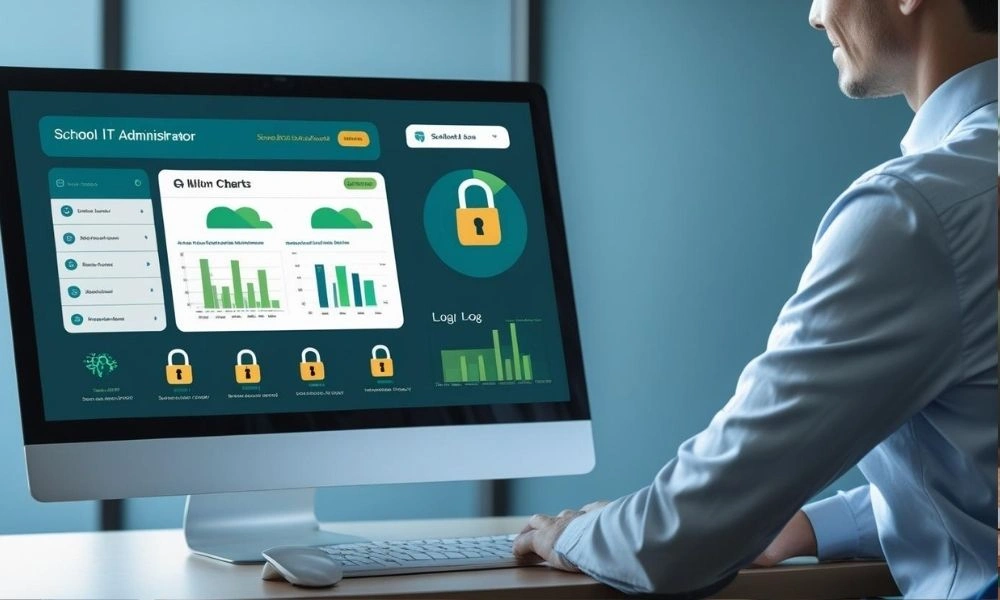
Many Pakistani schools buy an ERP, use the fee and attendance modules, and completely ignore the reporting and analytics features. The principal still makes decisions based on end-of-term summaries compiled manually by admin staff. The school owner reviews fee collection from a WhatsApp message sent by the cashier. The data to answer critical questions — which classes have the highest absenteeism, which months see the worst fee recovery, which teachers are marking attendance inconsistently — is sitting in the ERP, unused.
This isn’t a minor inefficiency. It’s the difference between a school that reacts to problems after they become expensive and one that spots them while they’re still small. A school that notices in October — through its ERP dashboard — that fee recovery for Class 6 has dropped 20 percent since the previous term can act immediately. A school that only discovers this at year-end, when the accountant compiles a manual report, has already lost months of potential recovery.
The fix: schedule a monthly 30-minute reporting review. The principal or admin manager opens three specific reports in the ERP: fee collection status by class, attendance rate by class and teacher, and new admissions versus target. Make this a fixed calendar appointment. These three reports, reviewed monthly, will surface 80 percent of the operational issues your school faces before they become serious.
Talk to Our Experts Today
Instant support or book a free demo
Conclusion
School ERP mistakes don’t announce themselves with a loud failure. They accumulate quietly — in spreadsheets maintained alongside the system, in staff who use the software for only half its features, in fee records that don’t quite balance, in reports that never get opened. The financial cost is real but invisible until you add it up: duplicated admin work, revenue lost to fee configuration errors, the cost of switching vendors after a poor selection, and the eventual price of migrating again.
The good news is that every mistake in this guide is avoidable. Choosing the right vendor, cleaning your data before migration, training staff by role, running parallel systems for four weeks, and configuring the fee module with your finance team present — none of these steps require extra budget. They require planning and discipline.
Start this week by auditing how your current school ERP is actually being used. If any of the patterns in this guide sound familiar, you now know exactly what to fix and how. Related topics worth reading next: how to choose the right school management software in Pakistan, a step-by-step guide to migrating from manual records to school ERP, and how to set up fee management with JazzCash and EasyPaisa integration.
Frequently Asked Questions
What are the most common school ERP mistakes in Pakistan?
The most common school ERP mistakes include selecting a system without testing the fee module against the school’s actual fee structure, importing uncleaned data during migration, skipping staff training by role, bypassing the parallel running phase, and ignoring the reporting features entirely. Each of these errors costs schools time, money, or both — often without being noticed until the damage is already done.
How do school software errors affect fee collection?
Fee module misconfiguration is one of the most financially damaging school software errors. If late payment penalties, sibling discounts, or class-specific rates are set up incorrectly, every fee notice generated from that configuration will be wrong. Correcting records after parents have already received incorrect notices takes significant admin time and damages parental trust in the institution.
What is ERP failure and how common is it for schools?
ERP failure refers to an implementation that doesn’t meet its original goals — whether due to budget overruns, staff abandonment, poor data quality, or vendor mismatch. Globally, between 55 and 75 percent of ERP projects fail to achieve their objectives. For schools, failure typically looks less dramatic — the system stays installed but is used for only a fraction of its capability while manual workarounds continue alongside it.
How long should a school run parallel systems during ERP migration?
A minimum of four weeks of parallel running is recommended for Pakistani schools. During this period, both the old system and the new ERP are updated simultaneously, and weekly comparisons reveal configuration errors or training gaps before they affect live operations. Schools that skip this phase have no safety net if something goes wrong in the first weeks after going live.
Can a school switch ERP vendors if the first one was wrong?
Yes, but switching vendors is expensive in time, effort, and staff disruption. Data needs to be re-exported, cleaned, and re-migrated. Staff need to be retrained. Any customizations in the old system need to be rebuilt. This is why thorough vendor evaluation upfront — including reference calls with existing client schools — is so important. Prevention is significantly cheaper than correction.
How do you avoid choosing the wrong school ERP vendor in Pakistan?
Request contact details for three current client schools at a similar size to yours and call them before signing any contract. Ask specifically whether support response times are reliable, whether features work as demonstrated, and whether they’d choose the same vendor again. Also check whether the vendor has a verifiable school client list, a clear pricing structure, and a local support team reachable during Pakistani business hours.
What reporting features should a school ERP have?
At minimum, a school ERP should offer monthly fee collection status by class, attendance rate by teacher and class, and new admissions tracking against targets. These three reports, reviewed once a month, surface the majority of operational issues before they become expensive. Additional valuable reports include outstanding fee aging analysis, exam result comparisons across terms, and teacher-level attendance consistency reports.
