
How many hours did your admin staff spend last week digging through registers, cross-referencing fee ledgers, and hunting for a student’s admission form that may or may not be in the right folder?
If you had to think about it for more than two seconds, the answer is probably too many. Across Pakistan, thousands of private school administrators are still managing student data on paper registers, Excel sheets, and aging desktop systems that crash at the worst possible times. One school in Islamabad discovered, during a routine audit, that three years of fee payment records were stored in a format no one could read because the staff member who maintained the spreadsheet had left — and taken the password with her. That kind of operational fragility doesn’t just slow you down. It puts your institution at genuine risk.
This guide gives you a practical, step-by-step roadmap to digitize school records and complete a successful ERP migration — without disrupting your academic year, overwhelming your staff, or wasting your budget on a system that doesn’t fit your school.
Why Is Digitizing School Records Urgent for Pakistani Schools Right Now?
The case for going digital isn’t abstract. It’s showing up in concrete, measurable ways across Pakistan’s education sector.
The Sindh Education Department announced in March 2025 that it was launching a mobile application to digitize teacher and student attendance records, linking them directly with the Accountant’s Office for real-time accountability. The Punjab government’s School Information System (SIS) already manages enrollment, academic records, and teacher data for public schools province-wide. Meanwhile, the Inter Boards Coordination Commission (IBCC) has mandated that all matric and intermediate certificates must now be validated online — a direct signal that paper-based record-keeping is becoming incompatible with how Pakistan’s education administration operates.
Private schools that delay digitizing their records are not just behind on convenience. They’re falling behind on compliance, competitive positioning, and the expectations of increasingly tech-savvy parents who want real-time updates on fees, attendance, and results. Pakistan’s online education market reached $327.79 million in 2024 and is projected to grow at a compound annual rate of 24.43 percent through 2033 (IMARC Group, 2024). The wave is here. The question is whether your school is riding it or being pushed under.
What Does It Actually Mean to Digitize School Records?
Before you panic about the scope, let’s define what this process really involves.
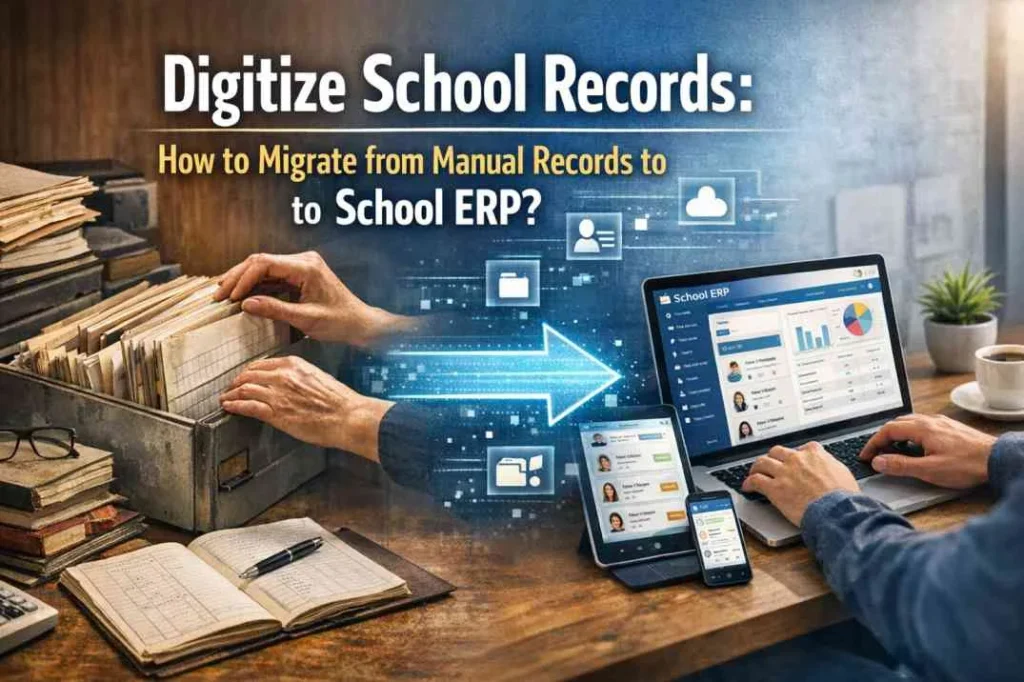
To digitize school records means converting your institution’s existing paper-based and manually maintained data — student profiles, fee records, attendance registers, examination results, staff information, admission forms — into a centralized, searchable, and secure digital database managed through a school ERP system. It’s not about scanning documents into PDF files and calling it done. That’s digitization in name only. True digital record management means every piece of student data lives in a structured system where it can be retrieved in seconds, updated in real time, and accessed securely from any authorized device.
For a Pakistani school, this typically covers six core record categories: student demographic information (name, CNIC or B-Form number, guardian contacts), academic history (grades, results, class promotions), fee records (payment history, outstanding balances, receipts), attendance data (daily, by subject, and teacher-reported), staff and HR records, and communication logs with parents. A modern school ERP system handles all of these in a single platform. The goal isn’t paperless for the sake of being paperless. It’s making your school run faster, with fewer errors, and with information always at your fingertips.
How Do You Prepare for an ERP Migration Without Creating Chaos?
The preparation phase is where most ERP migrations succeed or fail. Schools that skip it pay for it later.
Start with a data audit. Before you move anything into a new system, you need to know exactly what you have. Assign one staff member per record category — fees, admissions, attendance, results — and have them catalog what exists, where it’s stored, and what format it’s in. You’ll almost certainly find duplicates, gaps, and inconsistencies. That’s normal. Finding them now, before migration, is far better than discovering them after.
Next, clean your data. Remove duplicate student entries. Standardize name spellings — “Mohammad” and “Muhammad” should be one record, not two. Verify that fee records match actual payment receipts. This step feels tedious, but it’s the difference between a clean new system and a new system full of old mistakes.
Then, map your data to your chosen ERP’s structure. Most Pakistani school ERP providers — TaleemPro, EduSuite, OurSchoolSoftware, SowaanERP, CloudCampus ERP — will give you a template or import format during onboarding. Use it. Don’t try to force your existing spreadsheet format into the new system. Work with the system’s structure from the start.
One Karachi-based school group completed this preparation phase in six weeks before their migration date. Because their data was clean when they uploaded it, the entire ERP migration took three days instead of the three weeks their software provider had estimated. Preparation compounds into speed.
What Is the Step-by-Step Process to Migrate from Manual Records to School ERP?
Here’s the practical sequence that works for Pakistani schools, regardless of size.
Step 1: Choose Your ERP System Before Touching Any Data
This sounds obvious, but many schools start organizing data before they know what system they’re organizing it for. Each ERP has different field structures, import formats, and mandatory fields. Choosing your system first means you can organize data in the format the system expects. Request demos from two or three providers. Ask specifically about their data migration support, what formats they accept for bulk import, and whether migration assistance is included in the setup fee.
Step 2: Export Everything You Have into Spreadsheets
Whether your current records are in paper registers, Excel files, a desktop school software, or a combination of all three, your immediate goal is to get all of it into structured spreadsheets. Create one sheet per data category: students, fees, attendance summary, staff. Don’t try to be perfect yet. Just get everything into a format that can be edited and reviewed.
Step 3: Clean and Standardize Your Data
Go through each spreadsheet with a clear eye. Remove rows with missing critical information — a student record without a class assignment or an admission date is not useful. Standardize date formats (DD/MM/YYYY throughout). Verify phone numbers are correct and match the parent who’s meant to receive WhatsApp notifications. This step typically takes one to two weeks for a school of 500 students.
Step 4: Work with Your ERP Provider’s Migration Team
Reputable Pakistani school ERP providers include data migration as part of the onboarding process. Share your cleaned spreadsheets with their team. They will map your fields to the system’s database structure and flag any issues before import. This is not a step to skip or rush. Ask for a test import on a small sample of records first — say, one class — so you can verify everything looks correct before the full migration.
Step 5: Run Both Systems in Parallel for Two to Four Weeks
This is the step most schools want to skip to save time, and it’s the step that saves you the most trouble. During the parallel period, continue maintaining your manual records while also entering new data into the ERP. This gives your staff time to learn the system without the pressure of it being the only source of truth. It also gives you a fallback if something goes wrong during the transition.
Step 6: Train Every Staff Role Before Going Live
Your fee collection staff, class teachers, admissions coordinator, and principal all use the ERP differently. Generic group training rarely works. Ask your provider for role-specific training sessions — one for admin staff, one for teachers, one for the principal’s dashboard. Most providers in Pakistan offer WhatsApp-based support and video tutorials in Urdu, which makes ongoing learning significantly easier.
Step 7: Go Live and Archive Your Paper Records
Once you’re confident the ERP is running correctly, officially stop updating manual records for daily operations. Don’t destroy your paper records yet — archive them. A common practice is to keep physical records for the current and previous academic year, then formally retire them. Going forward, all new student records are born digital.
What Are the Most Common Mistakes Schools Make During ERP Migration?
Knowing what goes wrong is as valuable as knowing what to do right.
The most frequent mistake is importing dirty data. Schools upload their existing spreadsheets directly into the new ERP without any cleaning, and then spend months correcting errors inside the live system — a much harder task than cleaning the source file. Clean first, migrate second.
The second most common mistake is under-training front-line staff. The principal and admin manager get trained thoroughly, but the class teachers who mark attendance daily and the cashier who records fee payments get a 30-minute overview and are left to figure out the rest. This creates inconsistent data entry and frustrates staff who then resist the system.
A third mistake specific to Pakistani schools is not configuring the fee module correctly from the start. Fee structures in Pakistan are often complex — different rates by class, sibling discounts, transport fees, late payment charges, installment plans. Getting this right before you go live prevents weeks of reconciliation headaches afterward. Sit with your finance staff and your ERP provider to map every fee type before the system is activated.
One school in Faisalabad rushed their migration in two weeks to be ready for the start of a new academic year. Within the first month, they had duplicate student records, fee payment entries missing from the ledger, and teachers marking attendance in the old system out of habit. They had to delay their full rollout by another six weeks. The lesson: plan for the timeline that’s right, not the timeline that feels urgent.
Talk to Our Experts Today
Instant support or book a free demo
How Long Does It Take to Fully Digitize School Records in Pakistan?
Realistic timelines matter. Here’s what to actually expect.
For a school with up to 300 students and relatively organized existing records, a clean ERP migration typically takes four to six weeks from data audit to go-live, plus two to four weeks of parallel running. For a school with 500 to 1,000 students, especially one with years of unorganized paper records, eight to twelve weeks is more realistic.
The timeline is driven more by data quality than by school size. Schools with organized Excel records migrate faster than schools with the same number of students but paper-only records that need manual digitization entry by entry. If manual data entry is required, budget for it explicitly — either assign admin staff dedicated time or hire temporary data entry support during the migration window.
The best time to migrate is during a school break. The start of the summer break in late May or June, or the winter break in December, gives you the uninterrupted time to complete migration without disrupting daily operations. Planning your ERP migration around your school’s academic calendar isn’t just strategic — it’s essential.
Conclusion
Choosing to digitize school records is one of the most significant operational decisions a Pakistani school administrator can make. Done well, it transforms how your institution runs — from a place where finding a student’s fee history takes twenty minutes of searching through registers, to one where it takes twenty seconds on a phone screen. It frees your admin staff from repetitive data tasks, gives parents the real-time communication they increasingly expect, and positions your school as a modern, trustworthy institution.
The path from manual records to a fully operational school ERP isn’t instant. It requires preparation, patience, and a provider who supports you through the process. But the schools that have made this transition in Pakistan consistently report the same thing: they wish they’d done it sooner.
Start your ERP migration planning this month. Request demos from two or three providers. Run your data audit before those demos so you know exactly what you’re working with. And choose a go-live date that lands during a school break, not in the middle of one.
Related topics worth reading next: how to choose the right school management software in Pakistan, cloud vs desktop ERP for schools, and how to set up fee management systems with JazzCash and EasyPaisa integration.
Frequently Asked Questions
What does it mean to digitize school records?
To digitize school records means converting student profiles, fee ledgers, attendance registers, examination results, and staff data from paper or manual formats into a centralized digital database managed through a school ERP system. The goal is instant retrieval, real-time updates, and secure access from any authorized device — replacing folders, registers, and isolated spreadsheets entirely.
How long does ERP migration take for a Pakistani school?
For a school with up to 300 students and organized existing records, ERP migration typically takes four to six weeks from data audit to go-live, plus two to four weeks of parallel running. Larger schools or those with disorganized paper records should plan for eight to twelve weeks. The main factor is data quality, not school size.
Is ERP migration expensive for small schools in Pakistan?
Not necessarily. Several Pakistani school ERP providers offer free plans for smaller schools, and many include data migration support in their onboarding fee. The larger cost risk is actually in poor preparation — importing dirty data or skipping staff training leads to months of correction work that costs far more than doing it right the first time.
What data should be migrated first when switching to school ERP?
Prioritize student demographic records first, as these anchor every other data category. Then migrate fee records, since these directly affect daily cash flow and parent communication. Attendance history and academic records can follow. Staff records are typically the simplest to migrate and can be done in parallel with student data.
Can school ERP systems in Pakistan handle Urdu records?
Yes. Most school ERP platforms built for the Pakistani market support Urdu text in student names, report cards, and parent communication. Platforms like SowaanERP and OurSchoolSoftware are designed specifically for the local context and generate reports in formats aligned with Pakistani academic conventions. Confirm Urdu support with any provider before committing.
What is the biggest risk when digitizing school records?
The biggest risk is migrating uncleaned data. Duplicate student records, incorrect fee histories, and inconsistent name spellings create months of correction work inside the live system. Running a thorough data audit and cleaning your spreadsheets before migration is the single most important step to protect your transition.
Do I need an IT team to implement a school ERP in Pakistan?
No. Reputable Pakistani school ERP providers handle the technical setup and data migration as part of their service. You need staff who understand your school’s operations and fee structure, not IT specialists. WhatsApp-based support is standard among local providers, making ongoing help accessible without technical intermediaries.
