
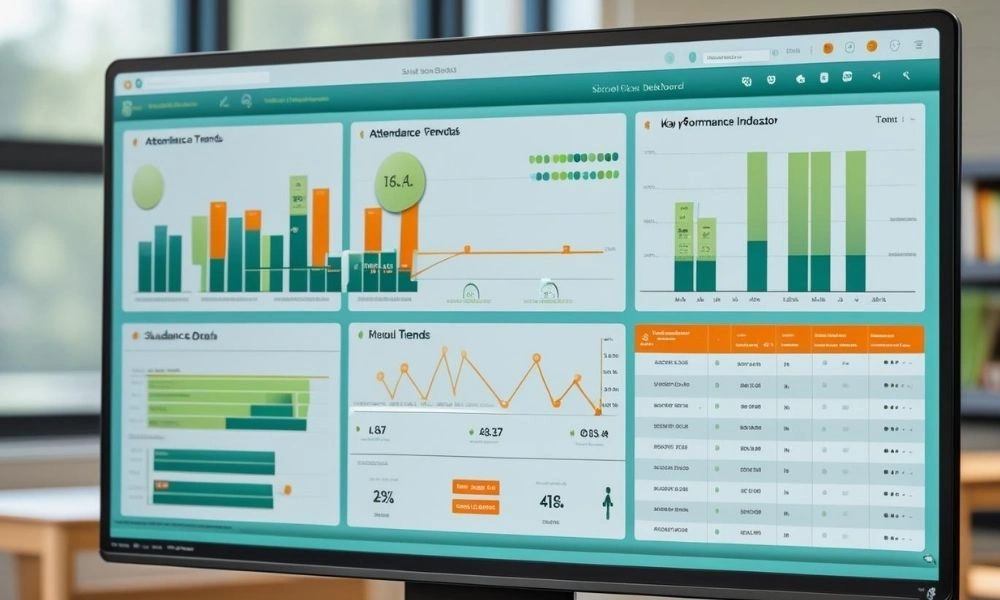
TaleemPro.pk provides a smart, scalable, and secure Education & Learning Management System for schools looking to embrace digital learning. From attendance to report cards, SMS alerts to student portals, everything is built to ensure student engagement and effective school administration.
What is a Virtual Learning Environment?
A Virtual Learning Environment (VLE) is an online platform that offers an organized method of providing, handling, and keeping an eye on learning remotely. From holding virtual lectures to disseminating assignments and monitoring attendance, it puts everything learning-related under one umbrella.
Why Virtual Classrooms are Necessary Nowadays?
Virtual classrooms are no longer an imagined aspect of the future—they are a reality of today. Schools and colleges all over the globe have moved to digital platforms because of worldwide hardships such as pandemics or natural disturbances. But above all, the advantages of flexibility, accessibility, and scalability make virtual classrooms a shrewd investment.
TaleemPro.pk, with its smart Education & Learning Management System, enables schools to create their own online learning spaces. Students can access daily attendance, check fee status, print vouchers, and view exam results through their own portals.
What Tools Are Required to Build a Virtual Classroom?
An effective virtual classroom needs more than just video calls. Here are the tools provided by TaleemPro.pk that bring every part of school management online:
1. Student Registration & Database
- Insert new or existing students
- Search by class, section, admission type
- View demographic and academic history
2. Fee Management System
- Create class-wise or individual fee vouchers
- Print and reprint vouchers
- Mark voucher payments (cash or bank)
- Full tracking of deleted and received vouchers
- Automated SMS notifications for dues
3. Attendance Module
- Add, edit, and print attendance sheets
- Monthly attendance reports
- Absentee tracking and alerts
- Birthday reminders and student status reports
4. Examinations & Report Cards
- Define exams and date sheets
- Assign grades and produce individual or class report cards
- Final result summaries with photographs and class standing
- Flexible grade formats
5. SMS & Communication Module
- Send SMS individually based on attendance, results, and grades
- Mass messaging to a group of classes or to all students
- Reminders for fee payments, exams, or school events
6. Question Paper Generator
- Develop question banks by subject, chapter, or category
- Design exam papers using templates and difficulty levels
- Assign paper patterns to a class or level
7. Reports & Analytics
- More than 30 custom reports: student list, transport, fee ledgers, concession reports
- Age-wise and family-wise monitoring of students
- Teachers and school admins have instant access
How to Maintain Student Engagement in Virtual Class?
The most difficult problem of online education is sustaining attention and engagement. TaleemPro.pk ensures this through designed features for student engagement in virtual classes:
- Mobile App Integration: Parents and students can see results, attendance, and messages at any time.
- SMS Reminders: Prevent students from missing assignments or deadlines.
- Online Portals: Real-time access to attendance, results, and fee status keeps students on their toes.
- Teacher Dashboards: Enable teachers to review student performance and modify teaching techniques based on it.
Once students are aware that their performance is tracked and feedback is immediate, they remain more engaged and attentive.
What Are the Advantages of Using TaleemPro.pk?
TaleemPro.pk’s Education & Learning Management System is specifically designed for schools in Pakistan. Here’s why it works:
- Centralized Control: Single login for full school operations.
- Role-Based Access: Admins, teachers, and data entry operators have customized access.
- Automation: From SMS to exam results, automation is possible.
- Scalability: Whether you have one campus or many, the system evolves accordingly.
- Data Security & Backups: Automatic daily backups so nothing gets lost.
By simplifying school administration and enhancing communication among all parties, TaleemPro.pk redefines the way education is provided and managed.
How to Create a Virtual Classroom: Tools & Tips – Revisited?
In essence, establishing a virtual classroom is more than simply installing Zoom. It’s about making the entire education infrastructure function digitally—right from admissions to analytics. How to Create a Virtual Classroom: Tools & Tips is not only a query—it’s a blueprint for forward-thinking schools.
Using tools such as fee modules, attendance registers, exam scores, communication forums, and even paper generators, TaleemPro.pk constructs not only a virtual classroom—but a Virtual Learning Environment.
Conclusion
In a world that is moving fast towards digital solutions, schools need tools that facilitate learning and management. TaleemPro.pk does just that—a robust, end-to-end Education & Learning Management System meant for contemporary institutions. From managing student admissions to creating exam papers and providing real-time SMS notifications, it empowers schools to work more efficiently and keep students engaged in an online environment.
The tools and tips covered in How to Create a Virtual Classroom: Tools & Tips demonstrate that with the right platform, any school can go online without sacrificing quality or control.
Frequently Asked Questions (FAQs)
1. What is a Virtual Classroom?
A virtual classroom is an online learning space where teachers and students interact through digital tools like video conferencing, assignments, exams, and feedback portals.
2. What is the difference between a VLE and a Virtual Classroom?
A Virtual Learning Environment (VLE) is a full platform managing teaching, learning, and school operations; a virtual classroom is a component of it focused on live instruction and interaction.
3. Why should schools in Pakistan invest in virtual classrooms?
Due to infrastructure challenges and increased demand for flexible learning, virtual classrooms allow continuity of education with broader accessibility.
4. Can TaleemPro.pk support hybrid and fully virtual models?
Yes. TaleemPro.pk supports both hybrid and fully virtual classrooms with tools for attendance, exam management, communication, and student tracking.
5. What are the main tools required to set up a virtual classroom?
Key tools include a student database, fee management, attendance tracking, exams and grading modules, SMS communication, and reporting systems.
6. How can teachers keep students engaged in a virtual setting?
Through instant feedback, mobile app notifications, real-time performance tracking, and accessible online content available via TaleemPro.pk.
7. Is it difficult to train teachers and staff on TaleemPro.pk?
No. The system is user-friendly with role-based dashboards, and SE Software Technologies provides onboarding support and ongoing assistance.
8. Can exams and report cards be managed online?
Absolutely. Teachers can create, assign, mark, and publish exams and results through the platform’s automated tools and templates.
9. How secure is the data on TaleemPro.pk?
TaleemPro.pk ensures daily backups, secure user access, and administrative control to prevent unauthorized data exposure.
10. Can small schools or single-branch institutions use TaleemPro.pk effectively?
Yes. Whether small or multi-campus, the platform scales to fit any size while offering full digital learning infrastructure.
