
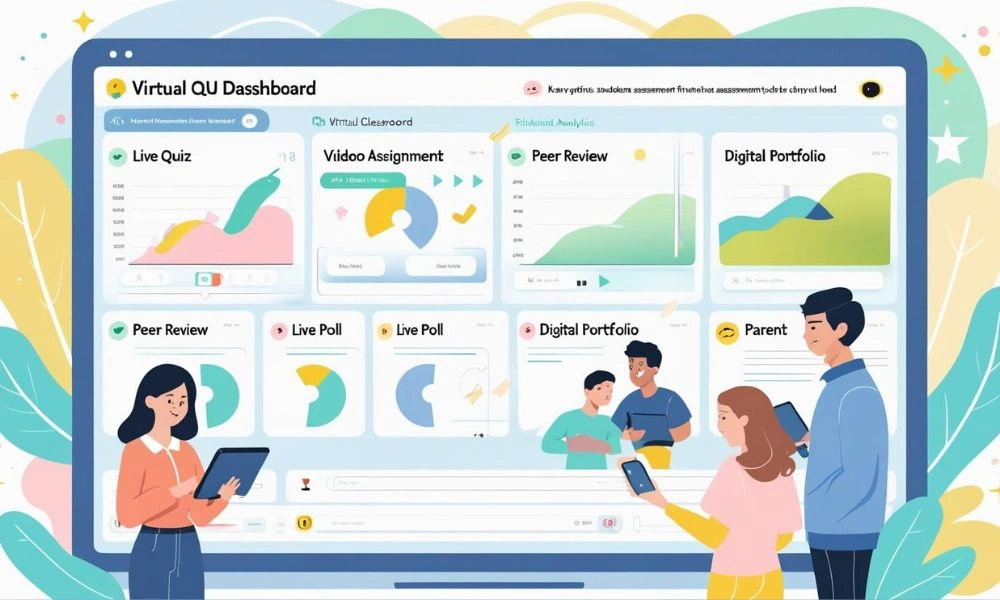
Are teachers spending more time on administrative tasks than teaching? If your school is still relying on paper-based systems or outdated tools for classroom management, there’s a good chance that your educators are overwhelmed with non-teaching duties. Fortunately, with the right Teacher Productivity Software, schools can empower their educators by streamlining administrative tasks, improving classroom management, and giving them more time to focus on what really matters: teaching students. But how exactly does this work? Let’s dive into how School Management Software enhances Teacher Productivity and benefits everyone in the educational ecosystem.
Talk to Our Experts Today
Instant support or book a free demo
Why is Teacher Productivity Important?
Teacher productivity isn’t just about how much time teachers spend in the classroom—it’s about how efficiently and effectively they can manage both their teaching duties and administrative responsibilities. In today’s educational environment, where technology is crucial, Teacher Productivity Software is no longer optional. It’s essential. Teachers are expected to do more with less—juggling lesson planning, grading, student communication, and compliance with educational standards.
However, when these tasks are handled manually or using disjointed systems, teachers can get bogged down with paperwork and inefficient workflows. This reduces their ability to focus on lesson delivery and student interaction. This is where School Management Software plays a critical role in improving productivity by streamlining day-to-day tasks, making classroom management more efficient, and offering intuitive Teacher Tools that save time.
How Does School Management Software Improve Classroom Management?
Classroom management is one of the most challenging yet critical aspects of teaching. When teachers can effectively manage their classrooms, it directly impacts student engagement and overall learning outcomes. Here’s how School Management Software can help improve classroom management:
1. Centralized Information Access
With Teacher Productivity Software, all essential classroom data is centralized in one location. This means teachers no longer need to search through multiple platforms or paperwork to find student records, attendance sheets, grades, or assignment details. Everything is easily accessible through a user-friendly dashboard, allowing teachers to spend less time on administrative tasks and more time engaging with students.
2. Automated Attendance Tracking
One of the most time-consuming tasks for teachers is tracking student attendance. School Management Software can automate this process, reducing the risk of human error and freeing up time for more productive classroom interactions. Teachers can easily mark attendance and track patterns in student absenteeism without conducting manual roll calls.
Additionally, automated alerts can be set up to notify parents when their child misses school, keeping families informed and ensuring better accountability for student attendance.
3. Instant Communication with Students and Parents
Communication is key to effective classroom management, and Teacher Tools in School Management Software make it easier than ever. Whether it’s sending out homework reminders, answering student questions, or updating parents on their child’s progress, these tools allow for instant, direct communication.
Talk to Our Experts Today
Instant support or book a free demo
Teachers can quickly send out announcements to the entire class, send personalized messages to students who need additional support, or inform parents about upcoming events or important deadlines. This streamlines communication, reduces the back-and-forth, and ensures that no important information gets lost in the shuffle.
How Does School Management Software Enhance Teacher Efficiency?
Teachers are expected to perform many tasks in a given day, from preparing lessons to grading assignments and everything in between. Teacher Productivity Software can help teachers become more efficient by automating time-consuming processes and providing valuable tools to manage their workloads. Here are the key ways these tools improve efficiency:
1. Efficient Lesson Planning and Content Creation
Lesson planning can be a time-consuming process, especially when teachers have to create materials from scratch. School Management Software often comes with built-in templates and resources that help teachers organize their lessons, create assignments, and manage course content more efficiently.
Some Teacher Tools allow teachers to schedule lessons in advance, which automatically syncs with their calendars and allows them to quickly adjust or modify lessons as needed. The ability to reuse materials or create personalized lesson plans saves teachers hours of preparation time.
2. Automated Grading and Assessment
One of the most time-consuming tasks for teachers is grading assignments. Teacher Productivity Software can automate much of this process, especially for quizzes, tests, and assignments with clear right or wrong answers. By using auto-grading tools, teachers can instantly receive grading feedback, reducing the time spent on manual corrections.
For more complex assignments, such as essays or projects, the software often allows teachers to quickly add comments and grades, helping streamline the feedback process. This means teachers can focus more on personalized, in-depth feedback for students rather than getting bogged down by grading logistics.
3. Tracking Student Progress and Performance
Monitoring student progress can be daunting without the right tools. School Management Software enables teachers to track individual student performance across assignments, quizzes, and exams. These systems often feature dashboards that provide an overview of each student’s performance, highlighting strengths and areas for improvement.
With this data at their fingertips, teachers can make informed decisions about their students’ learning paths, identify those who need additional help, and provide targeted interventions. This reduces the time spent on manually compiling performance reports and ensures that teachers can offer timely support where it’s needed most.
4. Time-Saving Administrative Features
Beyond classroom management and lesson planning, Teacher Productivity Software offers a range of administrative features that save teachers time. For example, managing student records, processing leave requests, and handling timetable changes are all streamlined within the system.
Additionally, School Management Software can automate report card generation, schedule parent-teacher conferences, and store important documents like student health records. These features ensure that teachers don’t have to waste time searching through files or handling complex administrative tasks.
How Does School Management Software Help with Collaboration?
Collaboration among teachers, administrators, and staff is essential for creating an effective learning environment. Teacher Productivity Software facilitates collaboration by providing a platform where everyone can access, share, and update relevant information.
1. Shared Lesson Plans and Resources
Teachers can share lesson plans, teaching strategies, and resources with one another through the software. This promotes a collaborative environment where teachers can learn from each other, share successful strategies, and collectively improve student outcomes.
By working together through a shared platform, teachers can build a more cohesive curriculum and ensure that students receive a consistent, high-quality education across subjects.
2. Team Communication Tools
Communication among colleagues is made simpler with integrated messaging tools. Teachers can communicate with each other to discuss student issues, share feedback, or coordinate activities without the need for endless meetings or emails. With everything stored in one platform, teachers can easily collaborate in real-time and keep everyone on the same page.
3. Support from Administration
School Management Software doesn’t just benefit teachers—it also helps administrative staff support teachers more effectively. By tracking key data such as student performance and attendance, administration can identify potential issues early and offer the necessary support to teachers.
Talk to Our Experts Today
Instant support or book a free demo
For instance, if a teacher is struggling with a high number of students falling behind in a specific subject, administrative staff can intervene, offer additional resources, or provide professional development opportunities. This fosters a supportive working environment that ultimately benefits students.
How Can Teacher Productivity Software Improve Work-Life Balance?
Teachers often work long hours outside of the classroom, whether it’s preparing lessons, grading papers, or attending meetings. The automation and time-saving features of School Management Software help to reduce the workload, allowing teachers to achieve a better work-life balance. By taking care of many of the routine administrative tasks, these tools enable teachers to leave work at a reasonable hour and spend more time with family and pursuing personal interests.
In addition to reducing administrative burdens, the tools also help teachers stay organized, reducing the stress that comes with juggling multiple tasks. With everything streamlined in one system, teachers can focus on what they do best—teaching and supporting their students.
FAQs About Teacher Productivity Software
Q1: How does Teacher Productivity Software help teachers save time?
Teacher Productivity Software automates time-consuming tasks like attendance tracking, grading, lesson planning, and communication. By reducing the need for manual processes, teachers can spend more time focusing on classroom activities and student engagement.
Q2: Can School Management Software improve classroom management?
Yes, School Management Software helps teachers manage their classrooms more effectively by centralizing student information, automating attendance, and providing tools for efficient communication with students and parents. This reduces distractions and keeps everything organized.
Q3: Does Teacher Productivity Software support collaboration among teachers?
Yes, many School Management Software platforms offer features that promote collaboration among teachers. Teachers can share lesson plans, resources, and best practices with one another, leading to a more cohesive educational experience for students.
Q4: How does School Management Software impact work-life balance for teachers?
By automating administrative tasks and streamlining classroom management, Teacher Productivity Software helps teachers reduce their workload, allowing them to maintain a better work-life balance. Teachers can leave work on time and focus on personal well-being.
Q5: Is Teacher Productivity Software easy to use for teachers?
Most modern School Management Software platforms are designed to be user-friendly, even for those with limited technical knowledge. With intuitive interfaces and straightforward tools, teachers can quickly get up to speed and start benefiting from the software.
Conclusion
In an age where technology is transforming every aspect of education, School Management Software plays a critical role in enhancing Teacher Productivity. By automating administrative tasks, improving classroom management, and fostering collaboration, these tools give teachers more time to focus on what matters most—teaching. With the right Teacher Tools in place, schools can empower their educators to work smarter, not harder, improving outcomes for both teachers and students. If you’re looking to support your teachers and enhance productivity in your school, investing in Teacher Productivity Software is a step in the right direction.
